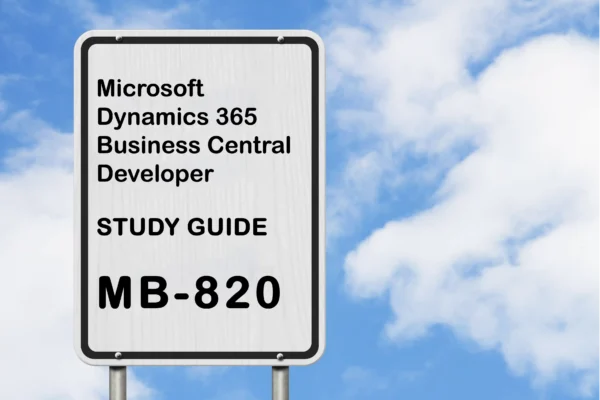
MB-820 Preparation Details
Preparing for the MB-820 Microsoft Dynamics 365 Business Central Developer certification exam? Start here with a complete, objective-wise MB-820 study guide designed to help you pass faster.
This guide brings together official Microsoft documentation, key concepts, and curated resources for every MB-820 exam objective, making it ideal for both beginners and last-minute revision.
Looking for the best MB-820 preparation resources in one place? This page covers everything you need to get exam-ready with confidence.
If this helped you, share it with others preparing for the MB-820 certification exam.
Exam Voucher for MB-820 with 1 Retake
Get 40% OFF with the combo
MB-820 Microsoft Dynamics Materials
| Udemy | Microsoft Dynamics 365 Business Central Developer |
| Coursera | Dynamics 365 Business Central Development Quick Start |
Describe Business Central (10–15%)
Describe the Business Central architecture
Describe the components and capabilities of Business Central
Component and System Topology – Business Central
Components and capabilities – Business Central
Service overview for Business Central online
Describe the core solution and extensions approach for Business Central
Components and capabilities – Business Central
Extend Dynamics 365 apps without compromising performance
Describe the update lifecycle for customizations of Business Central
Update cycles – Business Central
Lifecycle of apps and extensions – Business Central
Maintain Marketplace apps and per-tenant extensions – Business Central
Differentiate Business Central online and Business Central on-premises features
Service overview for Business Central online
Software lifecycle policy and on-premises updates – Business Central
Describe Business Central apps
Differentiate between the base app and the system app
Overview of the system application – Business Central
The Microsoft_Application.app file – Business Central
System and Base Application Reference for Dynamics 365 Business Central
Describe the functionality of apps
Components and capabilities – Business Central
Managing apps – Business Central
Use application development best practices in Microsoft Dynamics 365 Business Central – Training
Describe the process of bringing an app to AppSource
Understand the process of bringing an app to AppSource in Business Central – Training
Get started building apps – Business Central
Selling Business Central apps through Marketplace – Business Central
Install, develop, and deploy for Business Central (10–15%)
Install and configure a Business Central development environment
Describe the development environment for Business Central
AL development environment reference overview – Business Central
Developing extensions in AL – Business Central
Introduction to the development environment for Dynamics 365 Business Central – Training
Install and configure the development environment
Get started with AL – Business Central
Introduction to the development environment for Dynamics 365 Business Central – Training
Get started with C/SIDE and AL side-by-side for on-premises – Business Central
Manage configuration files for an AL extension
AL Language extension configuration – Business Central
Introduction to the development environment for Dynamics 365 Business Central – Training
Manage multiple AL extensions in one workspace
Working with multiple AL project folders within one workspace – Business Central
Introduction to the development environment for Dynamics 365 Business Central – Training
Create, debug, and deploy an extension in Business Central
Debug an extension with Visual Studio Code
Debugging in AL – Business Central
Debug and deploy your extension in Dynamics 365 Business Central – Training
Troubleshoot in Visual Studio Code directly from the web client – Business Central
Deploy an extension
Debug and deploy your extension in Dynamics 365 Business Central – Training
Extension types and scope – Business Central
Get started with AL – Business Central
Create or modify a Business Central extension in Visual Studio Code
Developing extensions in AL – Business Central
Get started with AL – Business Central
Manage multilanguage development
Manage multilanguage development in Dynamics 365 Business Central – Training
Working with translation files – Business Central
Translations overview – Business Central
Maintain extensions
Maintain Marketplace apps and per-tenant extensions – Business Central
Lifecycle of apps and extensions – Business Central
Develop by using AL objects (35–40%)
Build and extend tables and pages in Business Central
Develop Role Center pages
Designing Role Centers – Business Central
Simple Role Center example – Business Central
Customize the user interface for user roles – Business Central
Identify different page types
Pages overview – Business Central
Page object – Business Central
Build and extend page objects
Page extension object – Business Central
Extend existing table and page objects in Dynamics 365 Business Central – Training
Extension objects overview – Business Central
Build and extend tables
Extend existing table and page objects in Dynamics 365 Business Central – Training
Extensibility overview – Business Central
Build and extend enums
Extensible Enums – Business Central
Extension objects overview – Business Central
Build and extend reports
Substitute a report
Substituting reports – Business Central
Create a report layout
Report and document layouts overview – Business Central
Defining multiple report layouts – Business Central
Creating an Excel layout report – Business Central
Create document reports
Report Design Overview – Business Central
Build reports for Microsoft Dynamics 365 Business Central – Training
Design the data model of a report
Report object – Business Central
Report Design Overview – Business Central
Implement multilanguage in reports
Working with translation files – Business Central
Creating an Excel layout report – Business Central
Use report triggers, functions, and processing-only reports
Report object – Business Central
Report extension object – Business Central
Develop the report request page
Using request pages with reports – Business Central
Build reports for Microsoft Dynamics 365 Business Central – Training
Design and create an XMLport
Configure different XMLport properties
XMLport Properties – Business Central
Work with XMLports in Dynamics 365 Business Central – Training
Configure nodes and their properties
Defining an XMLport schema – Business Central
XMLport overview – Business Central
Use XMLports in AL code
XMLport object – Business Central
Work with XMLports in Dynamics 365 Business Central – Training
Develop codeunits
Create and access codeunits
Work with codeunits in Dynamics 365 Business Central – Training
Use events and triggers
Event types – Business Central
Subscribing to events – Business Central
Events in AL – Business Central
Implement interfaces
Interfaces in AL – Business Central
Create installation and upgrade codeunits
Writing extension install code – Business Central
Upgrading extensions – Business Central
Create entitlement and permission set objects
Create and extend permission sets
Permission set object – Business Central
Entitlements and permission sets overview – Business Central
Export permission sets to XML – Business Central
Override entitlements with inherent permissions
Entitlements and permission sets overview – Business Central
Permissions on database objects – Business Central
Troubleshoot permission sets
Upgrading permission sets – Business Central
Entitlements and permission sets overview – Business Central
Create queries in Business Central
Link and join data items
Linking and Joining Data Items in Query Objects – Business Central
Query object – Business Central
Apply filters in query objects
Filtering Data in Query Objects – Business Central
Query overview – Business Central
Use queries instead of record variables
Using Queries Instead of Record Variables – Business Central
Aggregate data in query objects
Aggregating Data in Query Objects – Business Central
Query object – Business Central
Use a query to create a report
Report Design Overview – Business Central
Query overview – Business Central
Develop by using AL (15–20%)
Customize the UI experience, and implement onboarding techniques
Create profiles in AL
Customize the user interface for user roles – Business Central
Manage users and roles – Business Central
Use and create views in AL
Pages overview – Business Central
Develop the UI by using the user assistance model
User assistance model – Business Central
Onboarding experiences – Business Central
Integrate assisted setup
Build an Assisted Setup in Dynamics 365 Business Central – Training
Onboard users to your app – Business Central
Create teaching tips and in-app tours to onboard users
Teaching tips and in-app tours for onboarding users – Business Central
Onboarding experiences – Business Central
Create an onboarding checklist
Get Users Started with the Checklist – Business Central
Onboard new users with the Welcome banner – Business Central
Describe the essential development standards
Implement the data process model in Business Central
Implement the data process model in Business Central – Training
Tables overview – Business Central
Define the different functional table types and characteristics
Define the different functional table types and characteristics – Training
Implement the data process model in Business Central – Training
Use document standards in Business Central
Implement the data process model in Business Central – Training
Tables overview – Business Central
Implement master data standards and design patterns
Work with master data in Dynamics 365 Business Central – Training
Tables overview – Business Central
Use AL to extend Business Central
Create custom procedures
Create custom procedures in Dynamics 365 Business Central – Training
Working with AL methods – Business Central
Use data types in code
Data types and methods in AL – Business Central
AL variables – Business Central
AL complex types – Business Central
Manage files
File handling and text encoding – Business Central
Manipulate data by using code
Programming in AL – Business Central
Describe the basics of the AL
Get started with AL – Business Central
Programming in AL – Business Central
Use the different types of expressions
AL simple statements – Business Central
AL control statements – Business Central
Use AL built-in functions and AL statements
AL essential methods – Business Central
AL simple statements – Business Central
Work with variables and define them in AL code
AL variables – Business Central
Manage errors
Error handling – Business Central
Collecting errors – Business Central
Use access modifiers to limit access
Using Access Modifiers in AL – Business Central
Working with AL methods – Business Central
Work with development tools (10–15%)
Implement semiautomated test processes, and run standard Business Central tests
Test applications in Business Central
Testing the application overview – Business Central
Introduction to test automation in Business Central – Training
Application Testing Example: Testing Purchase Invoice Discounts – Business Central
Install and run the Test Toolkit
Test the advanced sample extension – Business Central
Introduction to test automation in Business Central – Training
Develop test codeunits and procedures
Test codeunits and test methods – Business Central
Test Runner Codeunits – Business Central
Building an Advanced Sample Extension – Business Central
Manage and analyze telemetry
Monitor and analyze telemetry
Monitoring and Analyzing Telemetry – Business Central
Analyze and monitor telemetry with Power BI – Business Central
Telemetry FAQ – Business Central
Configure telemetry
Turn sending telemetry to Application Insights on or off – Business Central
Setting up telemetry in an app/extension – Business Central
Create custom telemetry signals
Creating custom telemetry events for Azure Application Insights – Business Central
Developing telemetry into your Business Central application – Business Central
Integrate Business Central with other applications (10–15%)
Access Representational State Transfer (REST) services from within Business Central
Use the different HTTP classes and their functions
HTTP, JSON, TextBuilder, and XML API overview – Business Central
HttpClient data type – Business Central
HttpRequestMessage data type – Business Central
HttpResponseMessage data type – Business Central
Get data from and send data to an external REST service
Call external services with the HttpClient data type – Business Central
HttpClient.Get method – Business Central
HttpClient.Post method – Business Central
Call web services with the AL Rest Client module – Business Central
Use and read JSON
HTTP, JSON, TextBuilder, and XML API overview – Business Central
JsonObject data type – Business Central
JsonArray data type – Business Central
Implement APIs
Create and work with APIs
Work with the API in Dynamics 365 Business Central – Training
API Page Type – Business Central
OData Web Services – Business Central
Create and manage OData bound and unbound actions
Creating and Interacting with an OData V4 Bound Action – Business Central
Creating and interacting with an OData V4 unbound action – Business Central
Web Service Performance (OData, API, and SOAP) – Business Central
Use Read Scale-Out to improve performance
Using Read Scale-Out for Better Performance – Business Central
DataAccessIntent property – Business Central
This brings us to the end of the MB-820 Microsoft Dynamics 365 Business Central Developer Study Guide.
What do you think? Let me know in the comments section if I have missed out on anything. Also, I love to hear from you about how your preparation is going on!
In case you are preparing for other Microsoft Dynamics 365 certification exams, check out the Microsoft Dynamics 365 section for those exams.
Follow Me to Receive Updates on the MB-820 Exam
Want to be notified as soon as I post? Subscribe to the RSS feed / leave your email address in the subscribe section. Share the article to your social networks with the links below so it can benefit others.