
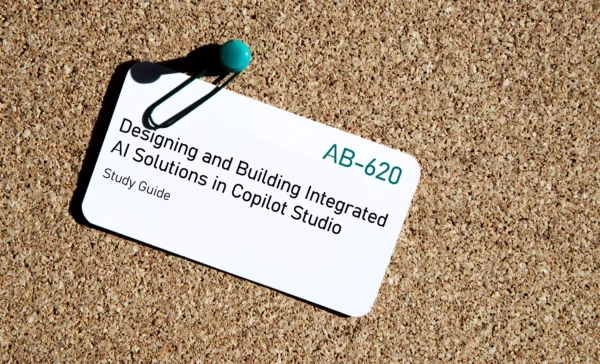
AB-620 Preparation Details
Preparing for the AB-620 Designing and Building Integrated AI Solutions in Copilot Studio certification exam? Start here with a complete, objective-wise AB-620 study guide designed to help you pass faster.
This guide brings together official Microsoft documentation, key concepts, and curated resources for every AB-620 exam objective, making it ideal for both beginners and last-minute revision.
Looking for the best AB-620 preparation resources in one place? This page covers everything you need to get exam-ready with confidence.
If this helped you, share it with others preparing for the AB-620 certification exam.
Exam Voucher for AB-620 with 1 Retake
Get 40% OFF with the combo
AB-620 Copilot Materials
Plan and configure agent solutions (30–35%)
Plan an agent solution
Plan integration with enterprise systems
Plan and design integration strategies – Microsoft Copilot Studio
Define your solution architecture – Microsoft Copilot Studio
Copilot Studio reference architectures and solution ideas
Plan identity strategy
Automatically create Entra agent identities – Microsoft Copilot Studio
Security FAQs – Microsoft Copilot Studio
Plan channels and deployment
Plan your Copilot Studio projects – overview
Implement your Copilot Studio projects – overview
Plan responsible AI strategy
Apply responsible AI principles – Microsoft Copilot Studio
Agentic AI maturity model – AI governance and security
Evaluate security and governance considerations
Security and governance – Microsoft Copilot Studio
Governance and security for AI agents across the organization
Plan reuseable agent components
Microsoft Copilot Studio implementation guidance
Plan and design integration strategies – Microsoft Copilot Studio
Design agents for internal or external audiences
Plan your Copilot Studio projects – overview
Overview – Microsoft Copilot Studio
Create and monitor agent flows in Copilot Studio
Create an agent flow
Agent flows overview – Microsoft Copilot Studio
Create an agent flow as a tool – Microsoft Copilot Studio
Build an agent flow with natural language – Microsoft Copilot Studio
Create a human-in-the-loop agent flow
Request information from humans in the loop – Microsoft Copilot Studio
Add an agent node to an agent flow – Microsoft Copilot Studio
Configure actions and connectors
Use agent flows with your agent – Microsoft Copilot Studio
Add tools to custom agents – Microsoft Copilot Studio
Monitor agent flows
Agent flows overview – Microsoft Copilot Studio
Agent flows in Microsoft Copilot Studio FAQ
Add input and output parameters
Manage topic inputs and outputs – Microsoft Copilot Studio
Call an agent flow from an agent – Microsoft Copilot Studio
Implement error handling in agent flows
Make HTTP requests – Microsoft Copilot Studio
Understand Error Codes – Copilot Studio
Configure topics
Add agent flows to a topic
Add an agent flow to an agent – Microsoft Copilot Studio
Call an agent flow from an agent – Microsoft Copilot Studio
Configure agent response formatting
Configure high-quality instructions for generative orchestration
Optimize prompts and topic configuration – Microsoft Copilot Studio
Add tools to a topic
Add tools to custom agents – Microsoft Copilot Studio
Create and edit topics – Microsoft Copilot Studio
Configure advanced agent responses with custom prompts
Prompts overview – Microsoft Copilot Studio
Create a prompt – Microsoft Copilot Studio
Configure advanced agent responses with custom knowledge sources
Connect to custom knowledge sources – Microsoft Copilot Studio
Knowledge sources summary – Microsoft Copilot Studio
Configure advanced agent responses with API and Send HTTP requests
Make HTTP requests – Microsoft Copilot Studio
Add tools to custom agents – Microsoft Copilot Studio
Configure generative answers node
Add a generative answers node – Microsoft Copilot Studio
Orchestrate agent behavior with generative AI – Microsoft Copilot Studio
Configure adaptive cards
Ask with Adaptive Cards – Microsoft Copilot Studio
Explore AI Capabilities in Copilot Studio
Manage variables
Variables overview – Microsoft Copilot Studio
Work with variables – Microsoft Copilot Studio
Work with global variables – Microsoft Copilot Studio
Integrate and extend agents in Copilot Studio (40–45%)
Connect to enterprise knowledge sources
Connect to Copilot connectors
Add Copilot connectors as a knowledge source – Microsoft Copilot Studio
Copilot connectors versus Power Platform connectors as knowledge sources
Microsoft 365 Copilot connectors overview
Connect to Microsoft Power Platform connectors
Use connectors in Copilot Studio agents
Add Power Platform connectors as knowledge – Microsoft Copilot Studio
Connect to Azure AI Search
Add Azure AI Search as a knowledge source – Microsoft Copilot Studio
Connect to custom knowledge sources – Microsoft Copilot Studio
Add tools to agents
Configure and monitor computer use for an agent
Automate web and desktop apps with computer use – Microsoft Copilot Studio
Configure where computer use runs – Microsoft Copilot Studio
Monitor computer use – Microsoft Copilot Studio
Configure MCP tools
Extend your agent with Model Context Protocol – Microsoft Copilot Studio
Connect your agent to an existing MCP server – Microsoft Copilot Studio
Add tools and resources from an MCP server to your agent
Add a tool by using an existing custom connector
Use agent tools to extend, automate, and enhance your agents
Add tools to custom agents – Microsoft Copilot Studio
Add REST APIs to an agent
Extend your agent with tools from a REST API – Microsoft Copilot Studio
Make HTTP requests – Microsoft Copilot Studio
Configure multi-agent collaboration from Copilot Studio
Design multi-agent solutions in Copilot Studio
Explore multi-agent orchestration patterns – Microsoft Copilot Studio
Add other agents overview – Microsoft Copilot Studio
Multi-agent patterns – Microsoft Copilot Studio
Integrate a Foundry agent
What is Microsoft Foundry Agent Service?
Add other agents overview – Microsoft Copilot Studio
Integrate an existing agent in Copilot Studio
Add other agents overview – Microsoft Copilot Studio
Extend the capabilities of your agent – Microsoft Copilot Studio
Integrate a Fabric data agent
Consume a data agent in Microsoft Copilot Studio – Microsoft Fabric
Add other agents overview – Microsoft Copilot Studio
Create a multi-agent solution by using A2A protocol
Connect to an agent over the Agent2Agent (A2A) protocol – Microsoft Copilot Studio
Multi-agent patterns – Microsoft Copilot Studio
Integrate agents with Azure
Configure generative answers by using Azure AI Search with Foundry
Connect your data to Azure OpenAI for generative answers – Microsoft Copilot Studio
Add Azure AI Search as a knowledge source – Microsoft Copilot Studio
Configure custom prompts to use the Foundry model catalog
Bring your own model for your prompts – Microsoft Copilot Studio
Microsoft Foundry Models overview
Monitor agents by using Application Insights
Capture telemetry with Application Insights – Microsoft Copilot Studio
Monitor AI Agents with Application Insights – Azure Monitor
Enable Application Insights support in Copilot Studio
Test and manage agents (20–25%)
Evaluate agent performance
Create a test set
Generate and import test sets for agent testing – Microsoft Copilot Studio
About agent evaluation – Microsoft Copilot Studio
Create multi-turn conversation tests in Copilot Studio
Choose an evaluation method
Choose evaluation methods – Microsoft Copilot Studio
Design a testing strategy for your agents – Microsoft Copilot Studio
Review the agent evaluation checklist – Microsoft Copilot Studio
Review test results
Run tests and view results – Microsoft Copilot Studio
Modify a test set – Microsoft Copilot Studio
Implement application lifecycle management (ALM) for agents in Copilot Studio
Create a solution
Create and manage custom solutions – Microsoft Copilot Studio
Establish an ALM strategy – Microsoft Copilot Studio
Add existing agents to a solution
Export and import agents using solutions – Microsoft Copilot Studio
Create and manage custom solutions – Microsoft Copilot Studio
Create and use environment variables
Use environment variables in Power Platform solutions
Variables overview – Microsoft Copilot Studio
Implement and extend Microsoft Power Platform Pipelines
Overview of pipelines in Power Platform
Set up pipelines in Power Platform
Automate testing and deployment of agents using pipelines in Power Platform
This brings us to the end of the AB-620 Designing and Building Integrated AI Solutions in Copilot Studio Study Guide.
What do you think? Let me know in the comments section if I have missed out on anything. Also, I love to hear from you about how your preparation is going on!
In case you are preparing for other AI certification exams, check out the AI for those exams.
Follow Me to Receive Updates on the AB-620 Exam
Want to be notified as soon as I post? Subscribe to the RSS feed / leave your email address in the subscribe section. Share the article to your social networks with the links below so it can benefit others.

1 Comment
this is so clutch thank you!!