AI-300 Preparation Details
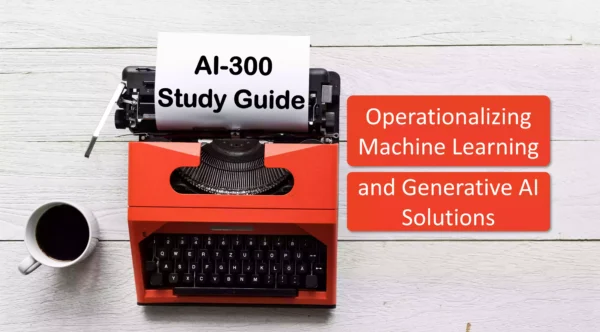
Preparing for the AI-300 Operationalizing Machine Learning and Generative AI Solutions certification exam? Start here with a complete, objective-wise AI-300 study guide designed to help you pass faster.
This guide brings together official Microsoft documentation, key concepts, and curated resources for every AI-300 exam objective, making it ideal for both beginners and last-minute revision.
Looking for the best AI-300 preparation resources in one place? This page covers everything you need to get exam-ready with confidence.
If this helped you, share it with others preparing for the AI-300 certification exam.
Exam Voucher for AI-300 with 1 Retake
Get 40% OFF with the combo
AI-300 Generative AI Materials
Design and implement an MLOps infrastructure (15–20%)
Create and manage resources in a Machine Learning workspace
Create and manage a workspace
What is a workspace? – Azure Machine Learning
Quickstart: Create workspace resources – Azure Machine Learning
Explore and configure the Azure Machine Learning workspace – Training
Create and manage datastores
How Azure Machine Learning works: resources and assets
Administer data authentication – Azure Machine Learning
Create and manage compute targets
Understand compute targets – Azure Machine Learning
Create compute clusters – Azure Machine Learning
Create a compute instance – Azure Machine Learning
Configure identity and access management for workspaces
Manage roles in your workspace – Azure Machine Learning
Set up service authentication – Azure Machine Learning
Manage Authentication, Authorization, and RBAC for AI workloads on Azure – Training
Create and manage assets in a Machine Learning workspace
Create and manage data assets
Create Data Assets – Azure Machine Learning
How Azure Machine Learning works: resources and assets
Create and manage environments
How Azure Machine Learning works: resources and assets
Manage environments – Azure Machine Learning
Create and manage components
How Azure Machine Learning works: resources and assets
Share assets across workspaces by using registries
Machine Learning registries – Azure Machine Learning
Create and manage registries – Azure Machine Learning
Share data across workspaces with registries – Azure Machine Learning
Implement IaC for Machine Learning
Configure GitHub integration with Machine Learning to enable secure access
GitHub Actions for CI/CD – Azure Machine Learning
Git integration – Azure Machine Learning
Deploy Machine Learning workspaces and resources by using Bicep and Azure CLI
Deploy Bicep files by using GitHub Actions – Azure Resource Manager
Build your first Bicep deployment workflow by using GitHub Actions – Training
Automate resource provisioning by using GitHub Actions workflows
GitHub Actions for CI/CD – Azure Machine Learning
Deploy Azure resources by using Bicep and GitHub Actions – Training
Restrict network access to Machine Learning workspaces
Managed virtual network isolation – Azure Machine Learning
Plan for network isolation – Azure Machine Learning
Secure an Azure Machine Learning workspace with virtual networks
Manage source control for machine learning projects by using Git
Git integration – Azure Machine Learning
GitHub Actions for CI/CD – Azure Machine Learning
Implement machine learning model lifecycle and operations (25–30%)
Orchestrate model training
Configure experiment tracking with MLflow
MLflow and Azure Machine Learning
Track Experiments and Models by Using MLflow – Azure Machine Learning
Log metrics, parameters, and files with MLflow
Use automated machine learning to explore optimal models
What is automated machine learning (AutoML)?
Set up AutoML to train a classification model – Azure Machine Learning
Operationalize machine learning models (MLOps) – Training
Use notebooks for experimentation and exploration
Quickstart: Create workspace resources – Azure Machine Learning
Run Jupyter notebooks in your workspace – Azure Machine Learning
Automate hyperparameter tuning
Hyperparameter tuning a model – Azure Machine Learning
How to do hyperparameter sweep in pipelines – Azure Machine Learning
Run model training scripts
Run model training scripts – Azure Machine Learning
Train models with Azure Machine Learning CLI, SDK, and REST API
Manage distributed training for large and deep learning models
What is distributed training? – Azure Machine Learning
Distributed training with PyTorch – Azure Machine Learning
Implement training pipelines
What are Azure Machine Learning pipelines?
Create and run machine learning pipelines – Azure Machine Learning
Compare model performance across jobs
Artifacts and models in MLflow – Azure Machine Learning
MLOps machine learning model management – Azure Machine Learning
Implement model registration and versioning
Package a feature retrieval specification with the model artifact
Register and work with models – Azure Machine Learning
Create and use a feature set with managed feature store – Azure Machine Learning
Register an MLflow model
Register and work with models – Azure Machine Learning
Manage model registries in Azure Machine Learning with MLflow
Evaluate a model by using responsible AI principles
Assess AI systems and make data-driven decisions with the Responsible AI dashboard
What is Responsible AI – Azure Machine Learning
Manage model lifecycle, including archiving models
Manage model lifecycle – Azure Machine Learning
MLOps machine learning model management – Azure Machine Learning
Deploy machine learning models for production environments
Deploy models as real-time or batch endpoints with managed inference options
Deploy Machine Learning Models to Online Endpoints – Azure Machine Learning
Deploy and consume models with Azure Machine Learning – Training
Tutorial: Deploy a model – Azure Machine Learning
Test and troubleshoot model endpoints
Troubleshoot online endpoints – Azure Machine Learning
Online endpoints for real-time inference – Azure Machine Learning
Implement progressive rollout and safe rollback strategies
Safe rollout for online endpoints – Azure Machine Learning
Progressive rollout of MLflow models to Online Endpoints – Azure Machine Learning
Monitor and maintain machine learning models in production
Detect and analyze data drift
Model monitoring in production – Azure Machine Learning
Monitor data drift with Azure Machine Learning – Training
Monitor performance metrics of models deployed to production
Monitor model performance in production – Azure Machine Learning
Machine learning operations – Azure Architecture Center
Configure retraining or alert triggers when thresholds are exceeded
Model monitoring in production – Azure Machine Learning
CLI (v2) schedule YAML schema for model monitoring – Azure Machine Learning
Design and implement a GenAIOps infrastructure (20–25%)
Implement Foundry environments and platform configuration
Create and configure Foundry resources and project environments
Quickstart: Set up Microsoft Foundry resources
Create a project – Microsoft Foundry
Set up your environment for Foundry Agent Service – Microsoft Foundry
Configure identity and access management with managed identities and RBAC
Role-based access control for Microsoft Foundry
Microsoft Foundry Rollout Across My Organization
Manage Authentication, Authorization, and RBAC for AI workloads on Azure – Training
Implement network security and private networking configurations
Set up private networking for Foundry Agent Service – Microsoft Foundry
Azure security baseline for Microsoft Foundry
Deploy infrastructure using Bicep templates and Azure CLI
Quickstart: Deploy a Foundry resource by using Bicep – Microsoft Foundry
Deploy Secure Azure AI Foundry via Bicep – Code Samples
Deploy and manage foundation models for production workloads
Deploy foundation models by using serverless API endpoints and managed compute options
Microsoft Foundry Models overview
Deploy models as serverless API deployments – Microsoft Foundry
How to deploy and inference a managed compute deployment
Select appropriate models for specific use cases
Microsoft Foundry Models overview
Understanding deployment types in Microsoft Foundry Models
Implement model versioning and production deployment strategies
Deployment overview for Azure AI Foundry Models
MLOps machine learning model management – Azure Machine Learning
Configure provisioned throughput units for high-volume workloads
What Is Provisioned Throughput for Foundry Models? – Microsoft Foundry
Get started with provisioned deployments in Microsoft Foundry
Provisioned throughput unit (PTU) costs and billing – Microsoft Foundry
Implement prompt versioning and management with source control
Design and develop prompts
Prompt flow in Microsoft Foundry portal
How to build with prompt flow – Microsoft Foundry
Prompt engineering techniques – Azure OpenAI
Create prompt variants and compare performance across different prompts
Tune prompts using variants – Azure AI Foundry
Tune prompts using variants – Microsoft Foundry (classic)
Implement version control for prompts by using Git repositories
Git integration – Azure Machine Learning
GitHub Actions for CI/CD – Azure Machine Learning
Implement generative AI quality assurance and observability (10–15%)
Configure evaluation and validation for generative AI applications and agents
Create test datasets and data mapping for comprehensive model evaluation
Evaluate Generative AI Models and Apps with Microsoft Foundry
Run evaluations from the Microsoft Foundry portal
Local Evaluation with the Azure AI Evaluation SDK
Implement AI quality metrics, including groundedness, relevance, coherence, and fluency
General Purpose Evaluators for Generative AI – Microsoft Foundry
Built-in Evaluators Reference – Microsoft Foundry
Observability in Generative AI – Microsoft Foundry
Configure risk and safety evaluations for harmful content detection
Risk and Safety Evaluators for Generative AI – Microsoft Foundry
Microsoft Foundry risk and safety evaluations Transparency Note
Safeguarding LLM security and safety evaluations
Set up automated evaluation workflows by using built-in and custom evaluation metrics
Evaluate your AI agents – Microsoft Foundry
Evaluation of generative AI applications – Azure AI Foundry
Implement observability for generative AI applications and agents
Examine continuous monitoring in Foundry
Monitor your Generative AI Applications – Microsoft Foundry
Monitor agents with the Agent Monitoring Dashboard – Microsoft Foundry
Monitor performance metrics, including latency, throughput, and response times
Monitor Model Deployments in Microsoft Foundry Models
Monitor agents with the Agent Monitoring Dashboard – Microsoft Foundry
Track and optimize cost metrics, including token consumption and resource usage
Monitor your Generative AI Applications – Azure AI Foundry
Provisioned throughput unit (PTU) costs and billing – Microsoft Foundry
Configure detailed logging, tracing, and debugging capabilities for production troubleshooting
Agent tracing in Microsoft Foundry
Set Up Tracing for AI Agents in Microsoft Foundry
Configure tracing for AI agent frameworks – Microsoft Foundry
Optimize generative AI systems and model performance (10–15%)
Optimize retrieval-augmented generation (RAG) performance and accuracy
Optimize retrieval performance by tuning similarity thresholds, chunk sizes, and retrieval strategies
RAG and generative AI – Azure AI Search
Develop a RAG Solution – Information-Retrieval Phase – Azure Architecture Center
RAG with Azure Document Intelligence in Foundry Tools
Select and fine-tune embedding models for domain-specific use cases and accuracy improvements
Generate Embeddings – Azure AI Search
Develop a RAG Solution – Generate Embeddings Phase – Azure Architecture Center
Augment LLMs with RAGs or Fine-Tuning
Implement and optimize hybrid search approaches combining semantic and keyword-based retrieval
RAG and generative AI – Azure AI Search
Hybrid search – Azure AI Search
Agentic Retrieval Overview – Azure AI Search
Evaluate and improve RAG system performance by using relevance metrics and A/B testing frameworks
Retrieval-Augmented Generation (RAG) Evaluators for Generative AI – Microsoft Foundry
A/B experiments for AI applications – Azure AI Foundry
Develop a RAG Solution – LLM End-to-End Evaluation Phase – Azure Architecture Center
Implement advanced fine-tuning and model customization
Design and implement advanced fine-tuning methods
Microsoft Foundry fine-tuning considerations
Fine-tune models with Microsoft Foundry
Getting started with customizing a large language model (LLM)
Create and manage synthetic data for fine-tuning
Fine-tune a language model with Microsoft Foundry – Training
Generate synthetic data for fine-tuning – Azure OpenAI
Monitor and optimize fine-tuned model performance
Deploy Fine-Tuned Models with Managed Compute in Microsoft Foundry
Monitor Model Deployments in Microsoft Foundry Models
Manage a fine-tuned model from development through production deployment
Deploy Fine-Tuned Models with Serverless API in Microsoft Foundry
Deploy Fine-Tuned Models with Managed Compute in Azure AI Foundry
MLOps machine learning model management – Azure Machine Learning
This brings us to the end of the AI-300 Operationalizing Machine Learning and Generative AI Solutions Study Guide.
What do you think? Let me know in the comments section if I have missed out on anything. Also, I love to hear from you about how your preparation is going on!
In case you are preparing for other Azure certification exams, check out the Azure certification study guides for those exams.
Follow Me to Receive Updates on the AI-300 Exam
Want to be notified as soon as I post? Subscribe to the RSS feed / leave your email address in the subscribe section. Share the article to your social networks with the links below so it can benefit others.